Posts

Showing posts with the label Banglarshiksha sms portal

Marks entry in Banglar shiksha SMS portal and server problem

Image
  State Education Department has extended the deadline for Model Activity Compilation (Final) 2021 marks entry on Banglar shiksha SMS portal. Marks of final activity task of Banglar shiksha e-portal from class I to class IX have been extended by one week. December 15th was the last day to upload student numbers. Which has been increased to 23 December by the school education department. Teachers were repeatedly complaining that they were having difficulty in entering marks due to server down of sms portal. Although the deadline for entry of marks in the SMS portal has been extended, but still no teacher is able to login to the SMS portal. As a result, they are not able to enter marks in the SMS portal. It is not yet known from the education department how long it will take to solve the problem of the portal. The Department of Education has directed all the schools to promote or detain the students of Banglar shiksha e-portal for the server problem of SMS portal. And can gen...

Online exam on Banglar Shiksha Portal

Image
A new option has been updated on the Banglar Shiksha SMS Portal . The name of this option is " MCQ ". This option can be seen by logging in with HoI id. This option is located in the Navigation menu in the HoI login. Two sub-menus of the " MCQ " menu. These are " Q&A " and " Question Paper ". Functions of the "Q&A" option to the Banglar Shiksha Portal Here you can create questions and answers for all Subjet of all Class. Here you can create two types of questions and answers. These are Multiple choice and Checkboxes. How to create questions and answers to the Banglar Shiksha Portal 🔘 Login to Banglar Shiksha sms portal with HoI I'd . 🔘 Click  the " MCQ "  under Main Navigation. 🔘 Click the " Q  & A " under the MCQ. 🔘 In the new page, 1.Select the correct options from the drop down box(Medium,Class , Subject and Lesson). 2.Click the "Add New" box....

Upload of teacher's image in Banglar Shiksha portal

Image
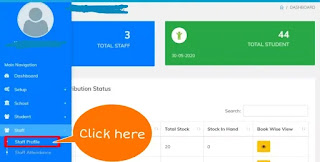
So far, there was no image in the profile of the teacher on Banglar Shiksha SMS portal. A few days ago, Banglar Shiksha portal came up with a new update, where the image of the teacher can be added. I have published this blog about how to add a teacher image. How to upload a Teacher's image on Banglar Shiksha Portal? School login to Banglar Shiksha SMS portal. Hit the " Staff " option in the main navigation bar. Hit the " Staff Profile " under the "Staff" option. A new window will open. Click on the view option(eye icon) along the teacher's row in the Teacher Table. Teacher's profile will open. You will see " Profile image " on the right side of this profile. Here you can upload the image of the teacher. The image you upload here must be subject to the following conditions. Image Size: Must be below 300kb. Image format: jpg or png Image title: a to z (Write in small letters in English....

Class Plan on Banglar Shiksha Portal

Image
A teacher makes a class plan / lesson plan before teaching students.Currently teachers have to add Class plan in Banglar Shiksha portal.In this blog, I have briefly discussed about class plan and how to add class plan to the Banglar Shiksha portal. What is Lesson plan / Class plan? Lesson planning is the outline of well-thought-out, systematic sequential processes for smoothly conducting daily classroom learning. That is, a detailed written form prepared for the purpose of presenting a special lesson to the students in the classroom is a daily lesson plan. Just as an Engineer has a blueprint design for building, so do Teachers have a lesson plan for teaching. Lessons plan steps / elements: Introduction - The introduction will be at the beginning of the lesson plan. Here the name of the institution, class, subject, number of students present, average age of students, time and date have to be mentioned. Behavioral objectives / learning outcomes- Behavioral ob...

Teacher Profile update in Banglar Shiksha Portal

Image
Teacher Profile edit in iOSMS. According to the circle level, each permanent teacher will have to edit the profile on the iOSMS portal, otherwise they will face difficulties in May 2020 salary.So each teacher has edited their profile on iOSMS portal as per requirement. Although the profile of teachers in iOSMS has changed, the profile in Banglar Shiksha e-portal has remained unchanged. How will the new data of iOSMS profile synchronize to the Banglar Shiksha e-portal? Teacher profile update in Banglar Shiksha e-Portal. Before that we need to know which method the portal has instructed to adopt in this regard. A few days ago I mailed to the Banglar Shiksha e-portal to know about this, I shared that reply to you. However, I described according to the reply of the above mail. The method of synchronization is described below. School Login to Banglar Shiksha E- Portal. 👈 Click here 🙏Hit on " Employee Mgmt "  under the main Navigation menu. 🙏Hit on...

Upload the assignment module file to the Banglar Shiksha SMS portal

Image
I have published this blog about how to create an assignment Module file and how to upload a created file to the Banglar Shiksha portal. Assignment file format and Size Before creating an assignment Module file, you need to know the structure and nature of the file. File size- 2 MB Format- png/jpg/pdf/txt Create Assignment File We use a variety of tools to create assignment module files.Here I will show you how to create an assignment module using Google docs.Google docs can easily create pdf files on mobile and beautifully designed. 🔴First we need to install the Google docs tools from the Google play store. 🔴Open Google docs on your phone. Click the plus icon at the  left of the Google docs. 🔴When you click the plus icon, three options will pop up. 🔴Click on the "New docs file" option. Create the file according to the text and design guidelines shown in the image below. Assignment file Share to Google Drive When the content of the ...

Activity Task on Banglar Shiksha Portal

Image
Click here to download activity task of 2022 , January. Click here to download the 2021 Banglar shiksha activity task. Online Classroom on Banglar Shiksha Portal "How long will we be locked in the house?" I'm not saying, millions of students.It is a cry of the mind of the students. Due to the lockdown, they are not getting school and tuition.How will their syllabus end?How to pass the board exam?These questions have made them unstable. The state government and various TV channels are giving them a way to meet the shortage of their studies. I highlighted these on my blog. Activity Task on Banglar Shiksha Portal The Department of Education has given the activity task of different classes of subjects on the Banglar Shiksha Portal.Students will complete those by downloading the Banglar Shiksha portal's activity Task.When the school opens, the students will submit it to the teachers. General guidelines for model activity tasks 1. Model activity...